> ## Documentation Index
> Fetch the complete documentation index at: https://docs.dittofeed.com/llms.txt
> Use this file to discover all available pages before exploring further.
# SMS Template Editor
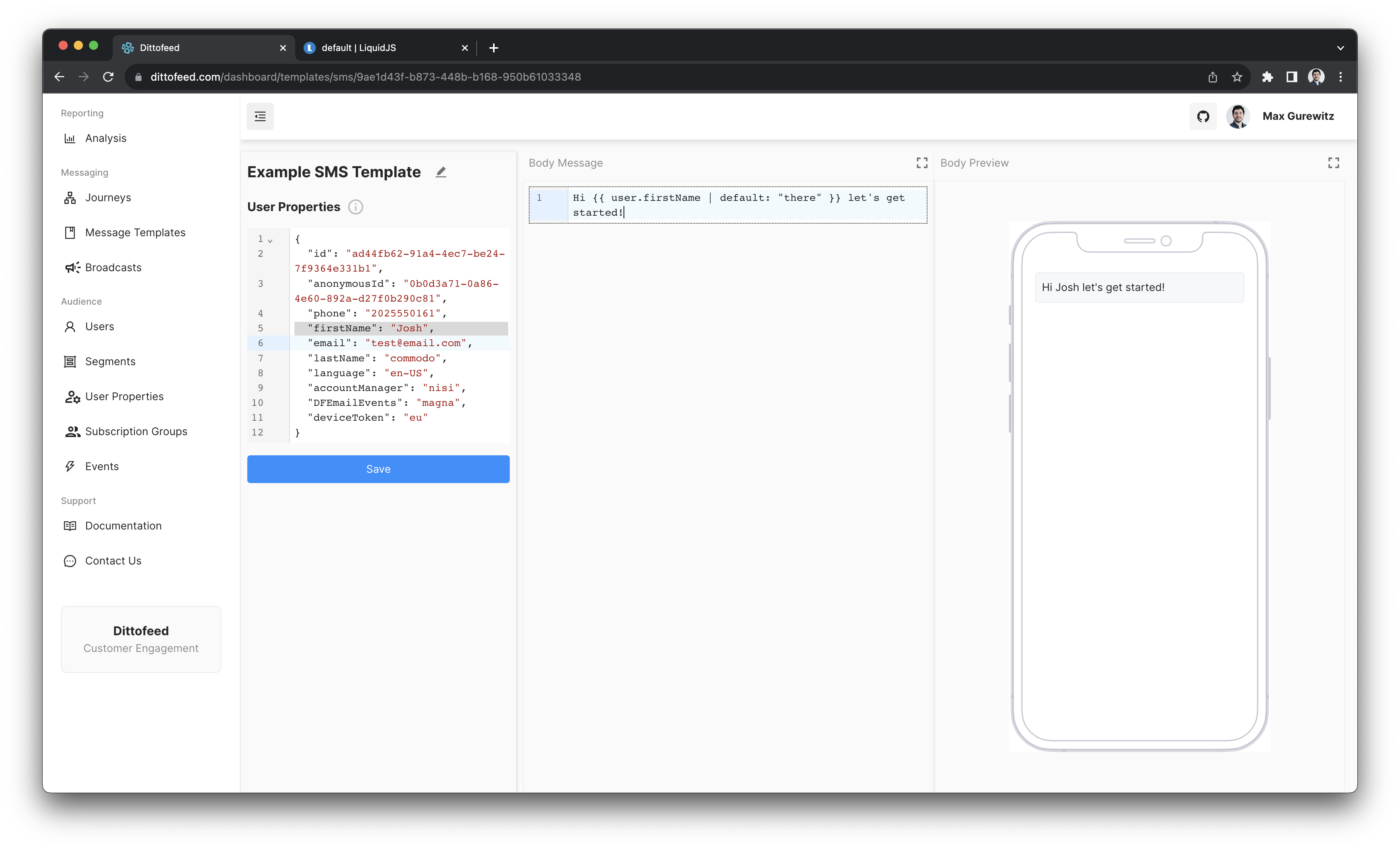
Dittofeed provides a SMS template editor through the dashboard, which supports [Liquid syntax](https://liquidjs.com/tutorials/intro-to-liquid.html).
An example of a rendered "sms" template using MJML and Liquid:
***
## Custom Recipient Property
By default, SMS messages are sent to the user's `phone` property. You can override this by selecting a different user property in the template's "Recipient User Property" setting, accessible via the "Options" button.
This is useful for:
* **Alternative contact methods**: Send to a user's work phone instead of personal phone
* **Third-party notifications**: Send to a user's manager, support agent, or parent
See [Custom Recipient Properties](/guide/custom-recipient-properties) for detailed configuration.
***
## Walkthrough Video
 ***
## Custom Recipient Property
By default, SMS messages are sent to the user's `phone` property. You can override this by selecting a different user property in the template's "Recipient User Property" setting, accessible via the "Options" button.
This is useful for:
* **Alternative contact methods**: Send to a user's work phone instead of personal phone
* **Third-party notifications**: Send to a user's manager, support agent, or parent
See [Custom Recipient Properties](/guide/custom-recipient-properties) for detailed configuration.
***
## Walkthrough Video
***
## Custom Recipient Property
By default, SMS messages are sent to the user's `phone` property. You can override this by selecting a different user property in the template's "Recipient User Property" setting, accessible via the "Options" button.
This is useful for:
* **Alternative contact methods**: Send to a user's work phone instead of personal phone
* **Third-party notifications**: Send to a user's manager, support agent, or parent
See [Custom Recipient Properties](/guide/custom-recipient-properties) for detailed configuration.
***
## Walkthrough Video