> ## Documentation Index
> Fetch the complete documentation index at: https://docs.dittofeed.com/llms.txt
> Use this file to discover all available pages before exploring further.

# Random Bucket - Segment Node

> Randomly assign a percentage of users to a segment.

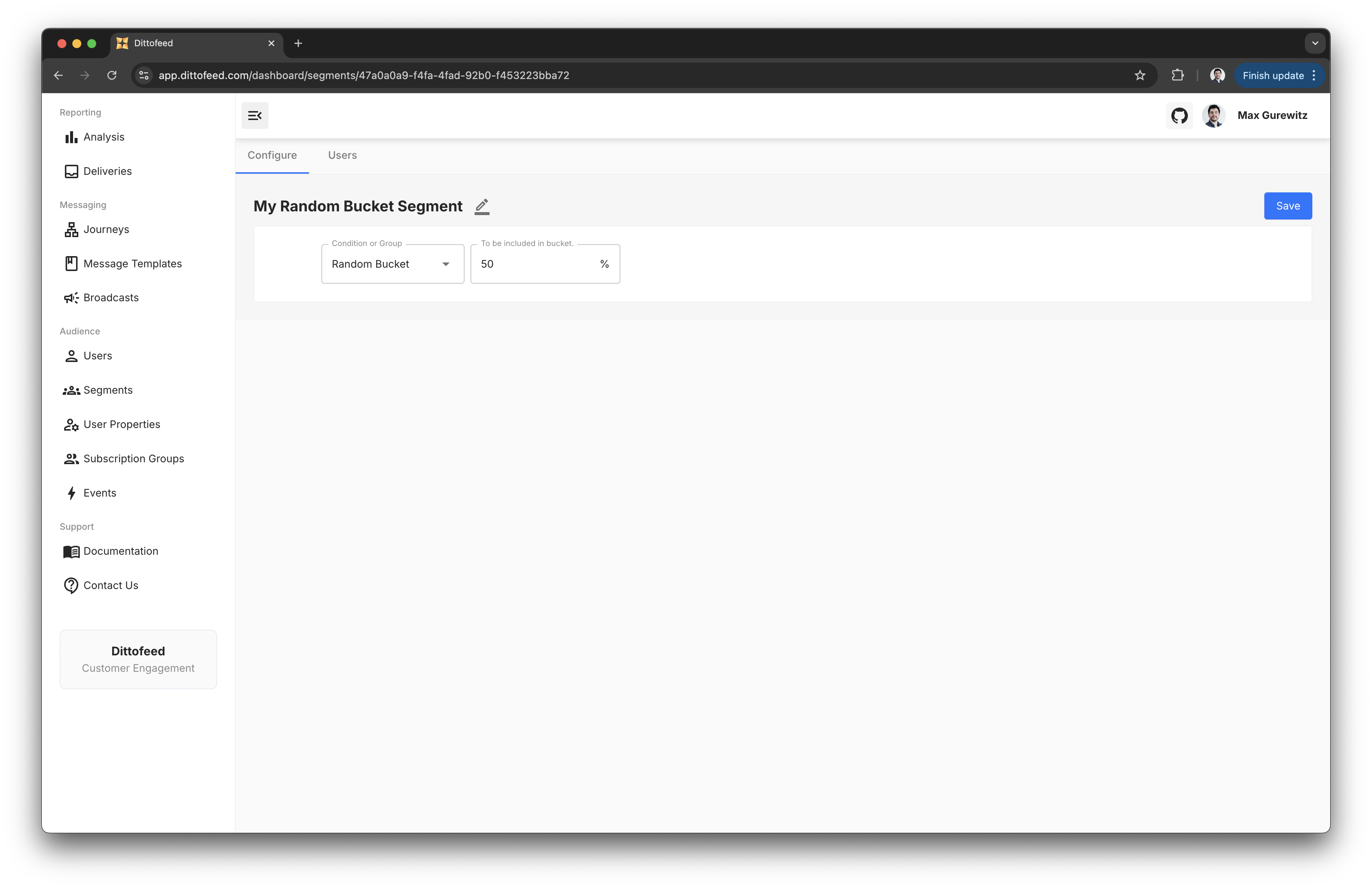
The Random Bucket segment node assigns a random percentage of users to a segment. This operation is performed by taking a hash of the user's Id.

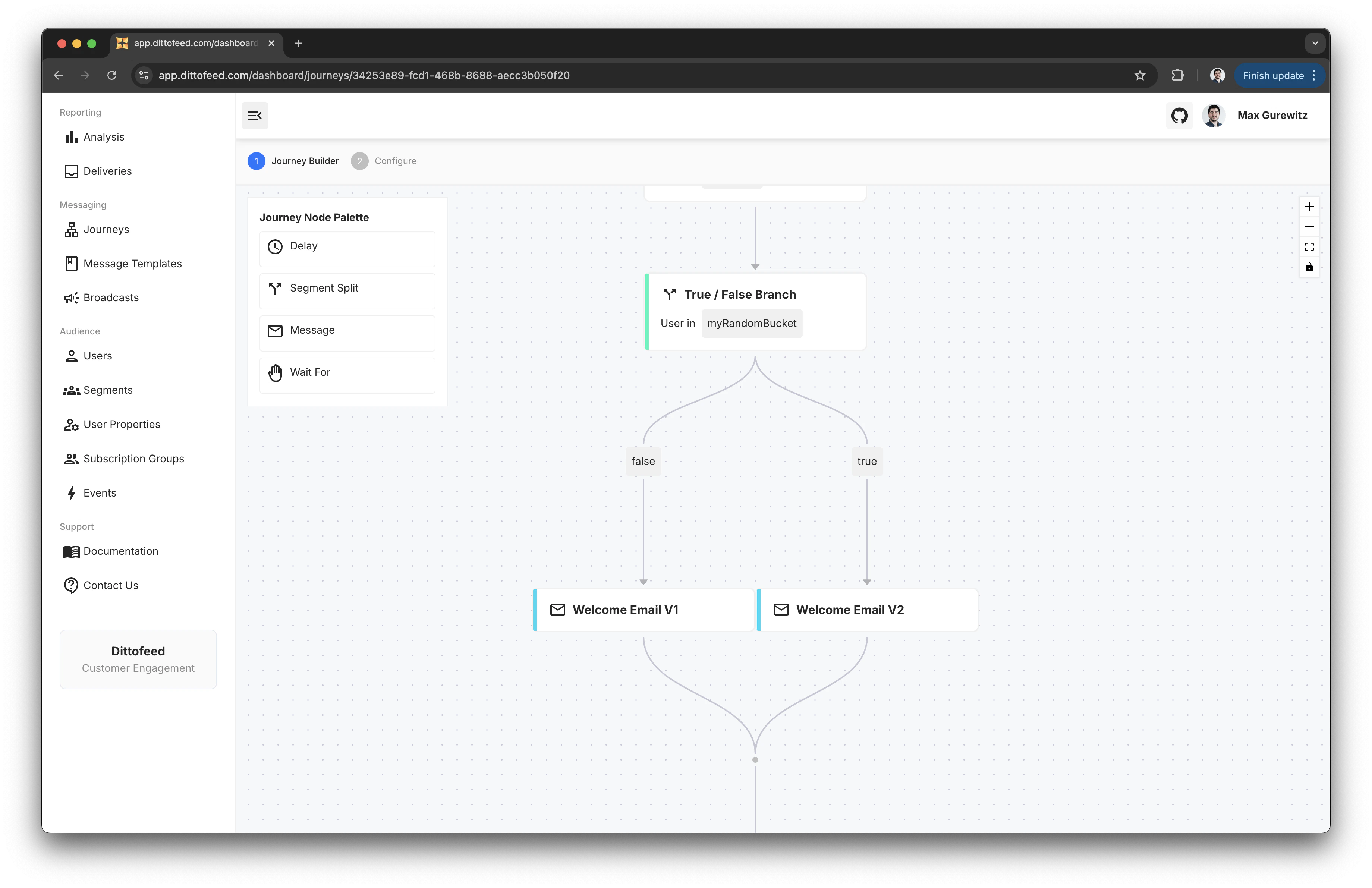
Segments of this type are useful for testing new branches of a journey e.g. test the impact of a new email template on a small percentage of users.

<Frame>
  <img src="https://mintcdn.com/dittofeed/abmbv2I9puhRd1Zb/images/random-bucket-segment.png?fit=max&auto=format&n=abmbv2I9puhRd1Zb&q=85&s=beed3e777b72da9184dbf50e68f331c3" alt="Random Bucket Segment Node" width="3680" height="2382" data-path="images/random-bucket-segment.png" />
</Frame>

<Frame>
  <img src="https://mintcdn.com/dittofeed/abmbv2I9puhRd1Zb/images/random-bucket-journey.png?fit=max&auto=format&n=abmbv2I9puhRd1Zb&q=85&s=2452a85ca74f13e1f38bf54b083d69da" alt="Random Bucket Journey" width="3680" height="2382" data-path="images/random-bucket-journey.png" />
</Frame>

***

## Walkthrough Video

<iframe className="w-full aspect-video" src="https://www.youtube.com/embed/9EyQh_5q1L0?si=vXf7lBx9EU1Qcb2v" title="Random Bucket Segment Node - Allocating a Percentage of Randomly Selected Users to a Segment" frameBorder="0" allow="accelerometer; autoplay; clipboard-write; encrypted-media; gyroscope; picture-in-picture" allowFullScreen />