> ## Documentation Index
> Fetch the complete documentation index at: https://docs.dittofeed.com/llms.txt
> Use this file to discover all available pages before exploring further.
# Wait For - Journey Node
> Wait for a user to enter a segment, with some timeout.
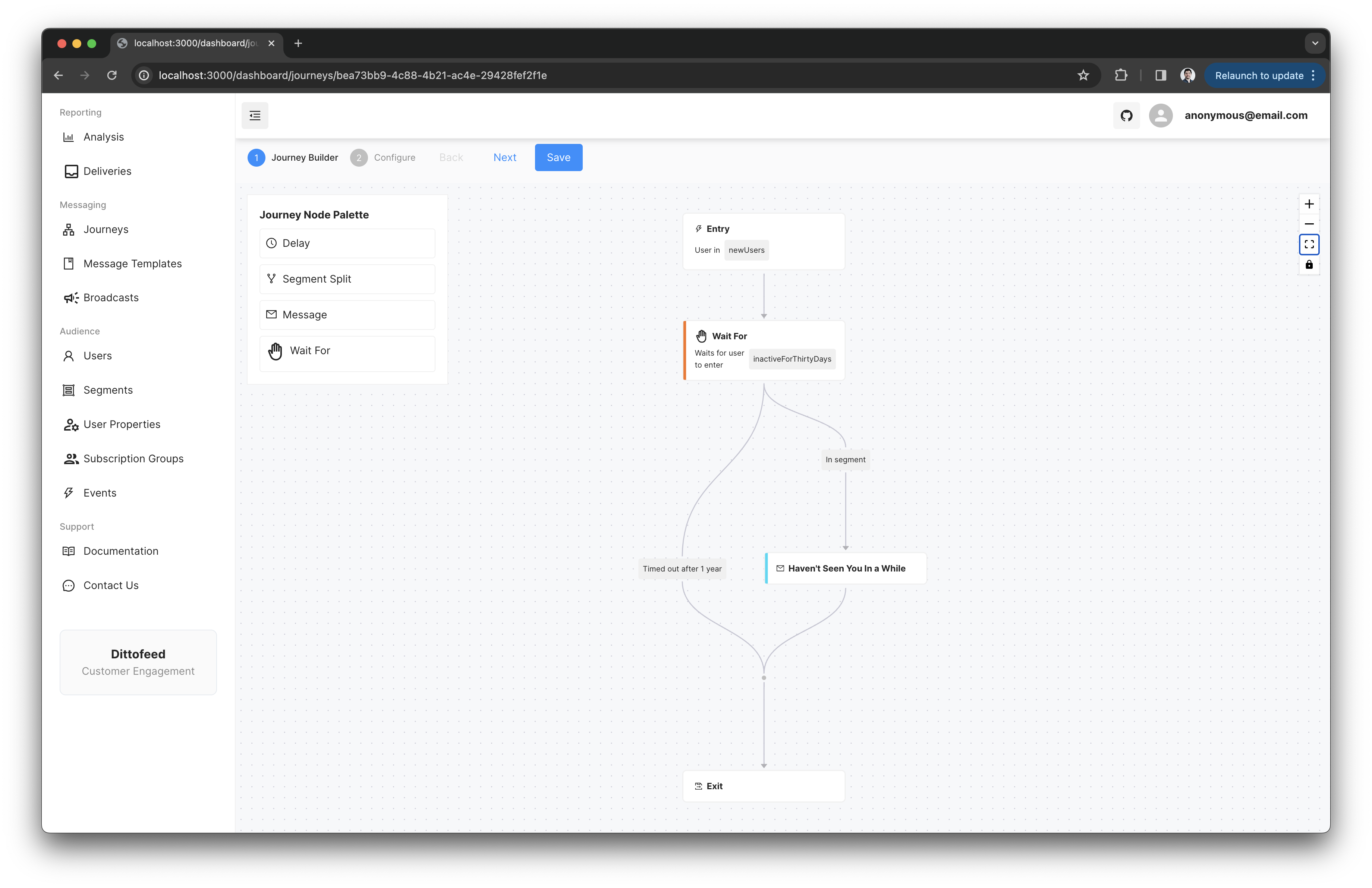
Wait For nodes allow you to wait for a user to enter a segment, with some timeout. If the user enters the segment before the timeout, they will progress to the next step. It has two branches, one for when the user enters the segment, and one for when the timeout is reached.
## Example Use Case - Email Inactive Users
You may want to send an email to users who have not logged in the last 30 days. You can do this by creating a segment that is only entered when a user has not logged in for 30 days. You can then use a Wait For node to wait for the user to enter this segment, and send them an email when they do.
***
## Walkthrough Video - Wait For Node
 ***
## Walkthrough Video - Wait For Node
***
## Walkthrough Video - Wait For Node