> ## Documentation Index
> Fetch the complete documentation index at: https://docs.dittofeed.com/llms.txt
> Use this file to discover all available pages before exploring further.
# Message - Journey Node
> Used to message users.
Message journey nodes are where the action's at. Without message nodes, journeys wouldn't do anything! Like the name suggests, message nodes are used to send messages to users.
## Example Use case - Basic Journey
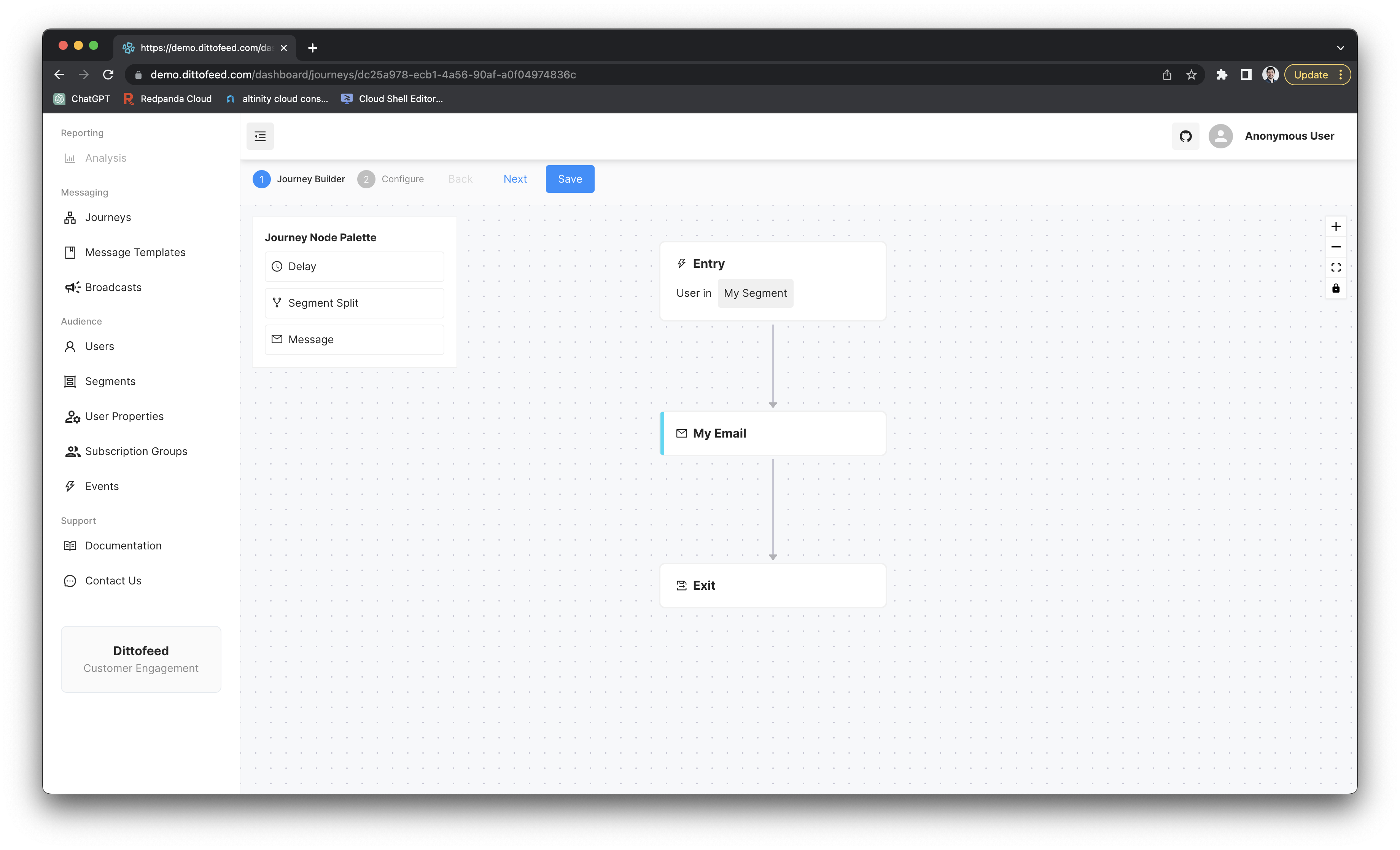
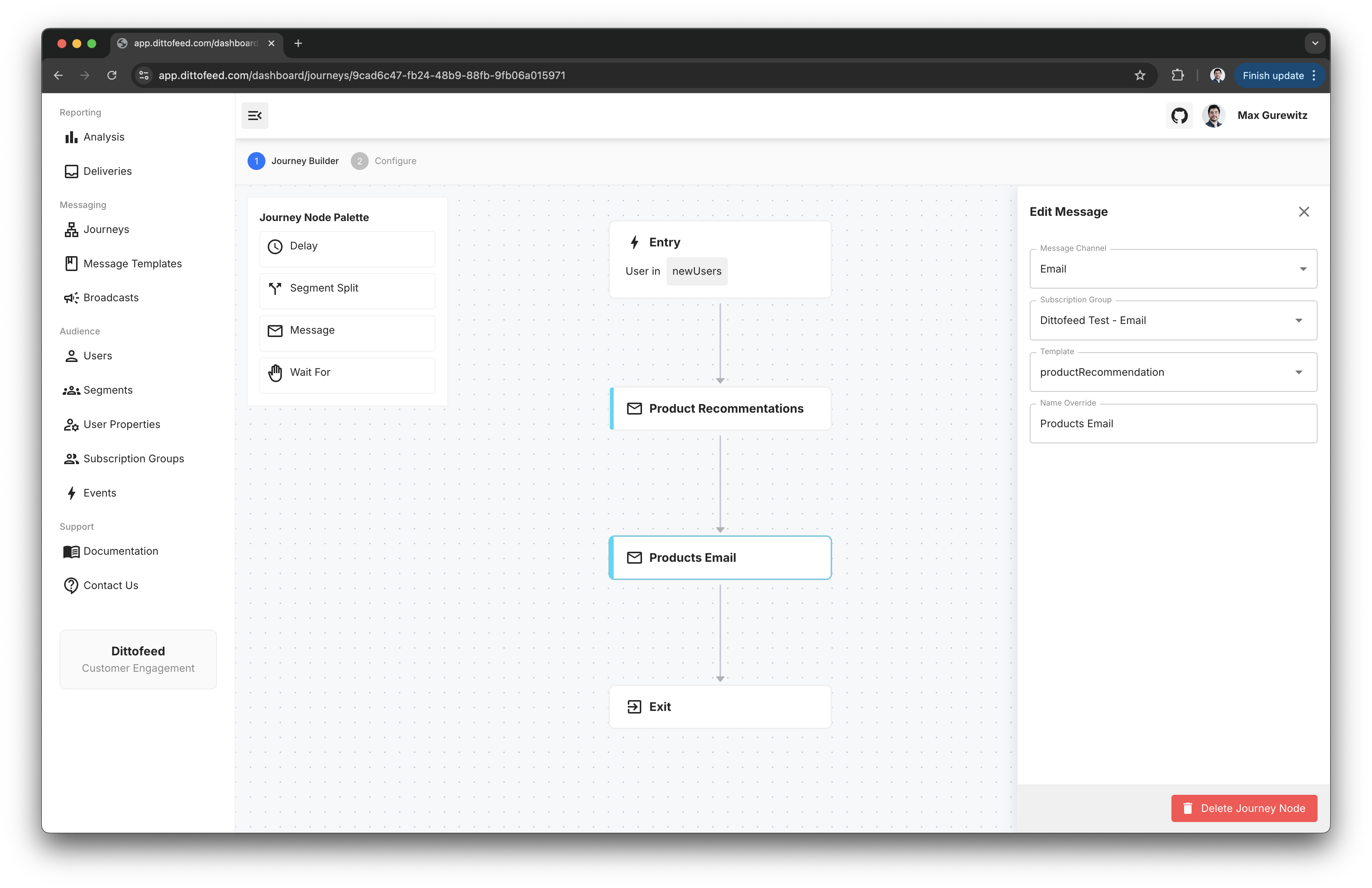
The following is the most basic journey you can create.
## Webhook Synchronize Properties
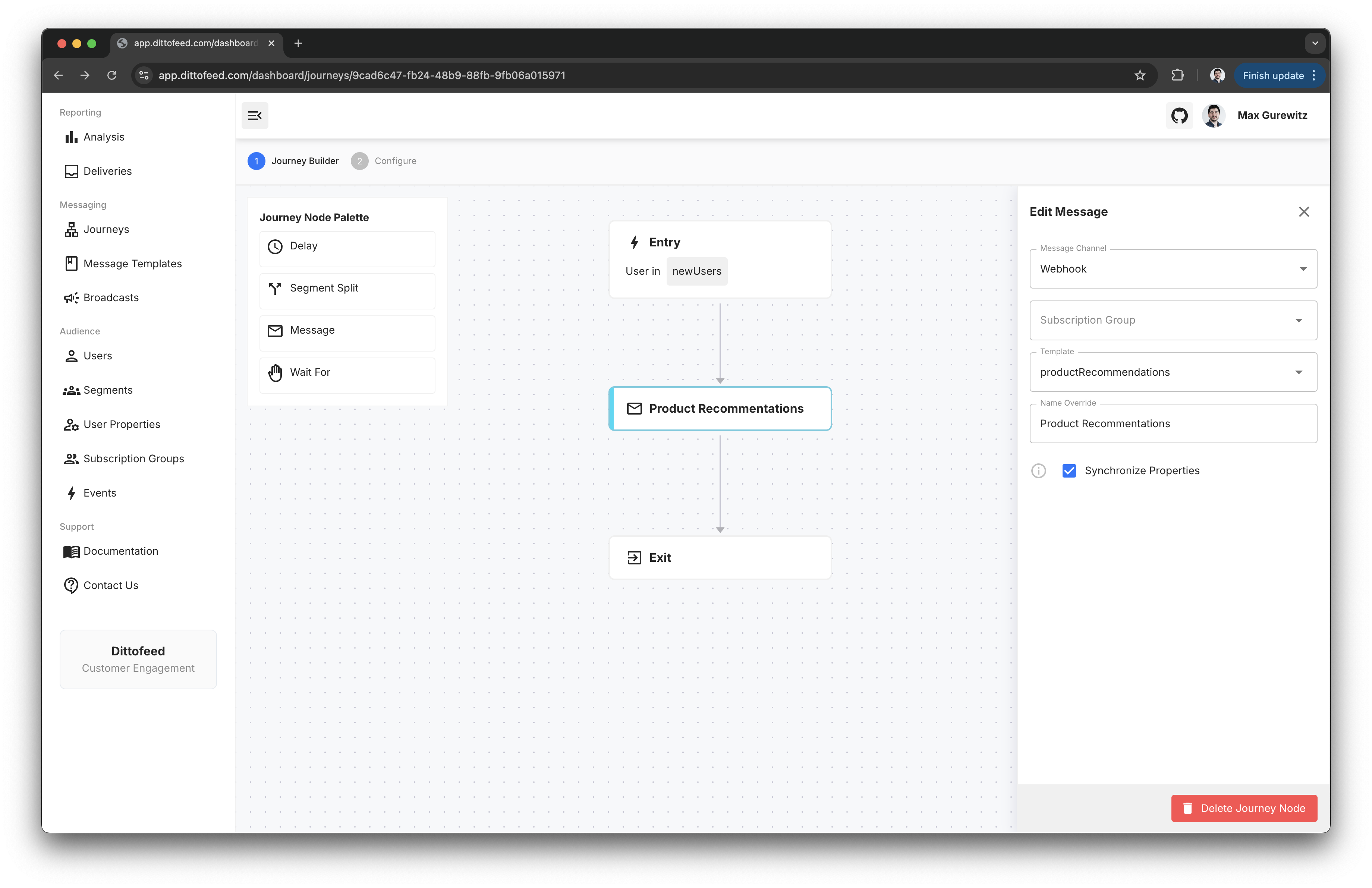
The "Synchronize Properties" configuration option is available in webhook message nodes. This option ensures user properties and segments recompute after receiving a response to a webhook request, before proceeding. This feature is useful for rendering webhook response as a part of user properties.
### Example Use case - Render Product Recommendations
Imagine that you want to email users with a list of their top 5 most highly recommended products. Let's say you have an API that returns product recommendations for a user. It would be infeasible to eagerly update Dittofeed every time any user's recommended products change.
Instead, we can use a webhook request to lookup products from your recommendations API, and render the response in an email. You can use the "Synchronize Properties" option when requesting new recommendations to ensure your journey waits until they're available before you proceed to render your email.
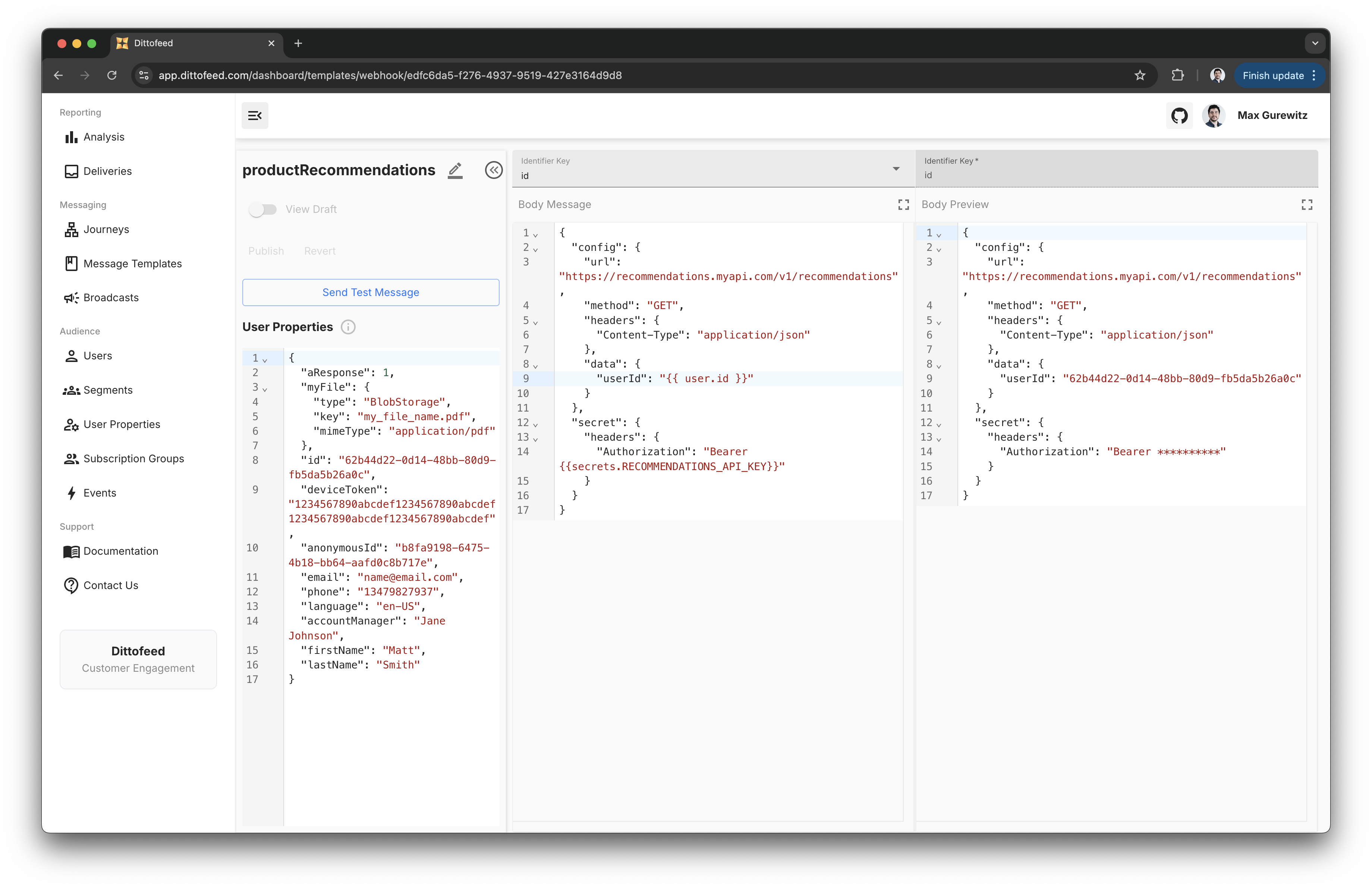
1. Create a webhook message template. Note that in the example below we use a secret to store an API key.
```json theme={null}
{
"config": {
"url": "https://recommendations.myapi.com/v1/recommendations",
"method": "GET",
"headers": {
"Content-Type": "application/json"
},
"data": {
"userId": "{{ user.id }}"
}
},
"secret": {
"headers": {
"Authorization": "Bearer {{secrets.RECOMMENDATIONS_API_KEY}}"
}
}
}
```
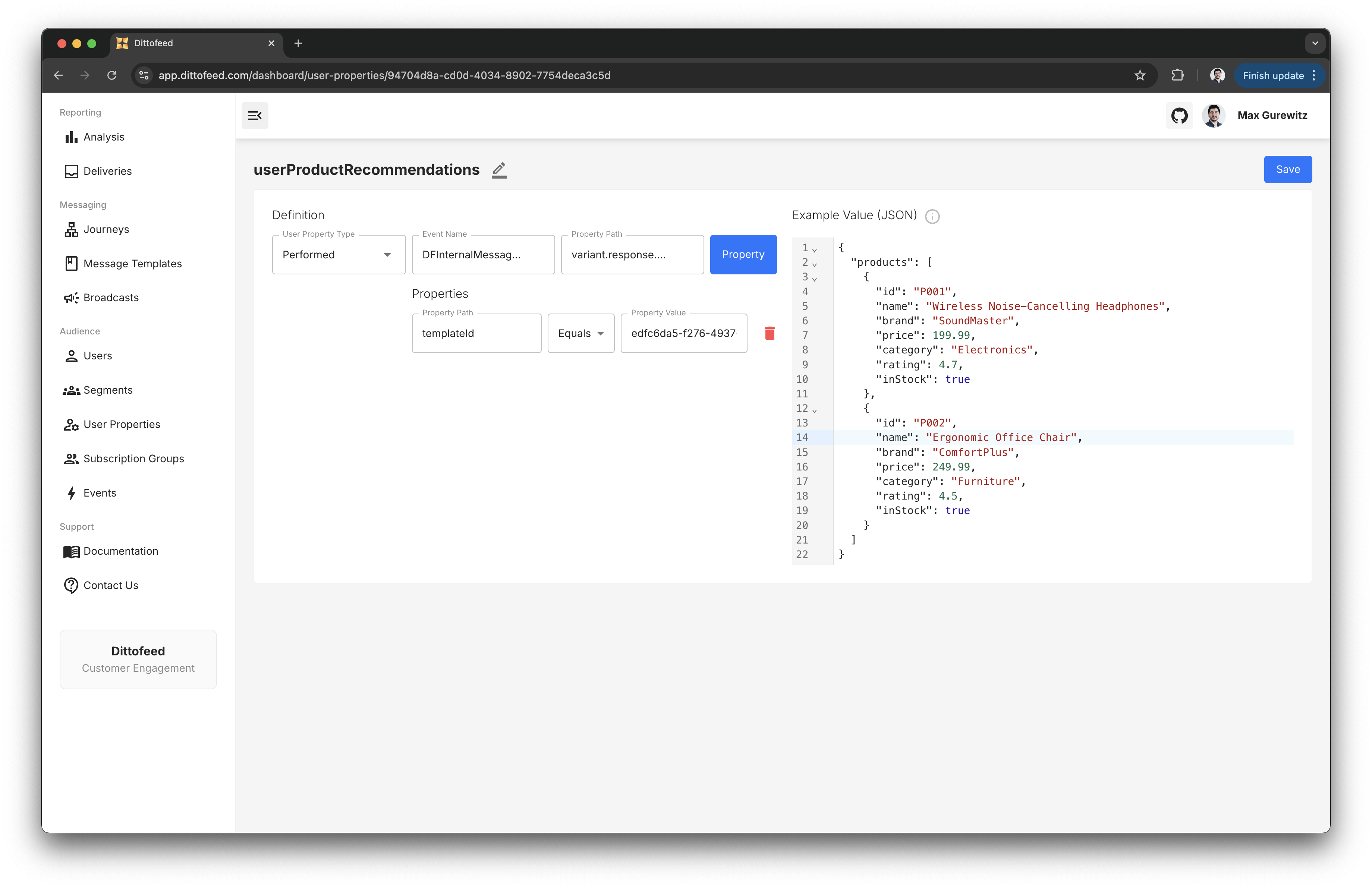
2. Create a user property that renders the webhook response. This user property should condition on the `DFInternalMessageSent` event name, with the `variant.response.body` path. Furthermore, it should condition on the `templateId` property equaling `templateId` of the webhook message template you created e.g. `edfc6da5-f276-4937-9519-427e3164d9d8`.
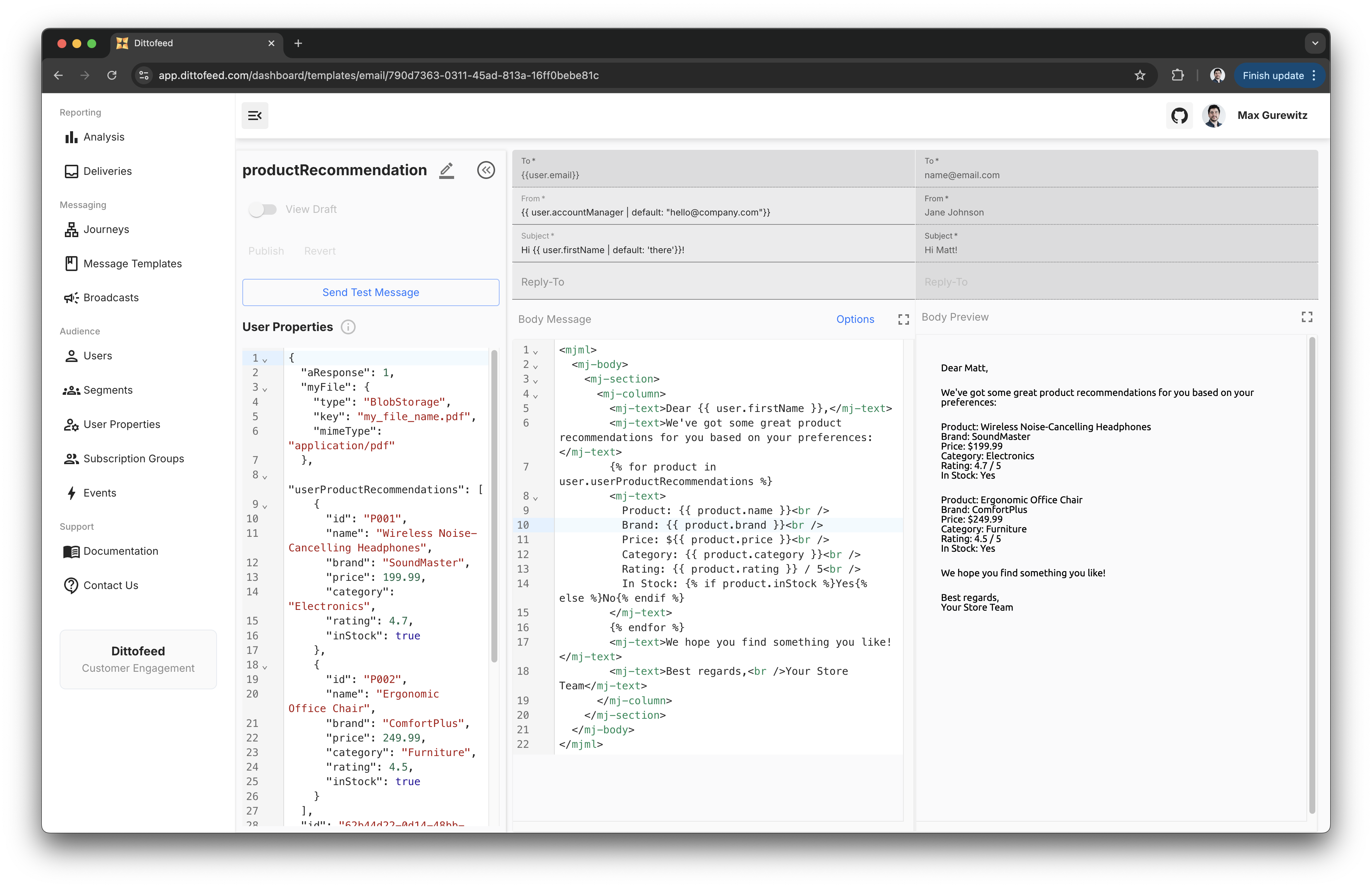
3. Create an email template that consumes the user property.
```html theme={null}
Dear {{ user.firstName }},We've got some great product recommendations for you based on your preferences:
{% for product in user.userProductRecommendations %}
Product: {{ product.name }}
Brand: {{ product.brand }}
Price: ${{ product.price }}
Category: {{ product.category }}
Rating: {{ product.rating }} / 5
In Stock: {% if product.inStock %}Yes{% else %}No{% endif %}
{% endfor %}
We hope you find something you like!Best regards, Your Store Team
```
4. Create a journey that sends a webhook request to your recommendations API, with the "Synchronize Properties" option enabled.
5. Add an email message node to your journey, and select the email template you created.
***
## Walkthrough Video - Message Node
 ## Webhook Synchronize Properties
The "Synchronize Properties" configuration option is available in webhook message nodes. This option ensures user properties and segments recompute after receiving a response to a webhook request, before proceeding. This feature is useful for rendering webhook response as a part of user properties.
## Webhook Synchronize Properties
The "Synchronize Properties" configuration option is available in webhook message nodes. This option ensures user properties and segments recompute after receiving a response to a webhook request, before proceeding. This feature is useful for rendering webhook response as a part of user properties.
 3. Create an email template that consumes the user property.
 ***
## Walkthrough Video - Message Node
***
## Walkthrough Video - Message Node