> ## Documentation Index
> Fetch the complete documentation index at: https://docs.dittofeed.com/llms.txt
> Use this file to discover all available pages before exploring further.
# Delay - Journey Node
> Wait for some fixed amount of time to progress.
Delay nodes allow you to cause users to wait an arbitrary amount of time before they progress until the next step. Unlike other platforms, Dittofeed doesn't impose any limitations on the duration of delays. Seconds, hours, days, weeks, months, it's all fair game!
## Variants
### Hardcoded Delay
The simplest variant specifies that the user should wait for a fixed amount of time in the journey.
### Localized Delay
The localized delay variant allows you to specify a delay so that the journey waits for a specific time of day and/or day of the week in the user's timezone.
#### Timezone Resolution
The system determines the user's timezone using the following priority order:
1. **User's `timezone` property** - If the user has a `timezone` user property set (e.g., `"America/New_York"`), this takes highest priority
2. **User's `latLon` property** - If no timezone property is set but the user has a `latLon` property (e.g., `"33.812511,-117.9189762"`), the timezone is derived from the geographic coordinates
3. **Default timezone** - If neither user property is available, the journey's configured default timezone is used
4. **UTC** - As a final fallback, UTC is used if no other timezone information is available
### User Property Delay
This variant allows you to specify a user property that the node will attempt to parse as a timestamp. The node will then wait for the date specified by the user property.
The user property should resolve to either an ISO 8601 string, a unix timestamp in seconds, or a unix timestamp in milliseconds.
## Example Use Case - Welcome Email
For example, a delay node might be used in a journey to send a welcome email, wait a week, then send another email thanking them for joining.
***
## Walkthrough Video - Delay Node
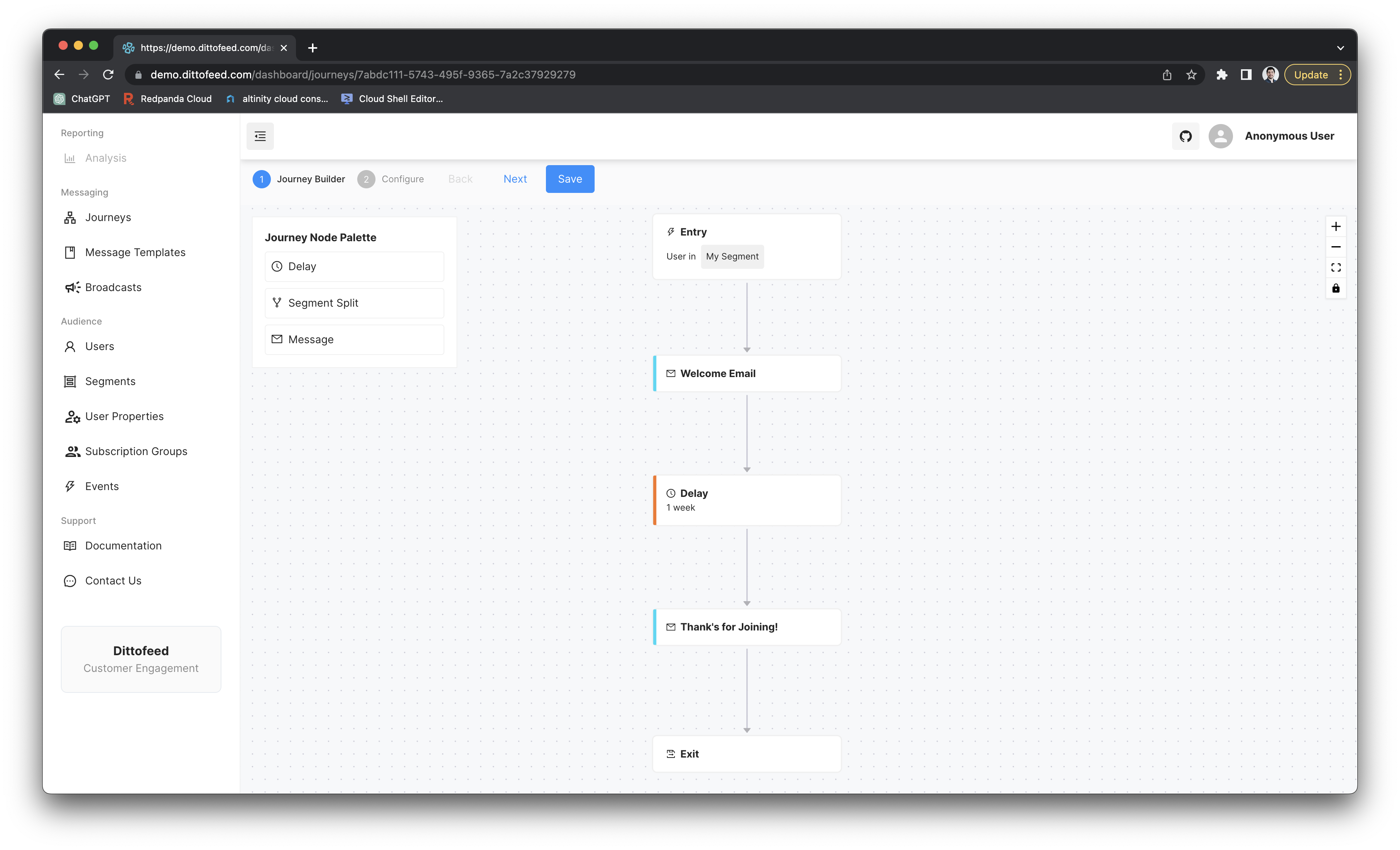 For example, a delay node might be used in a journey to send a welcome email, wait a week, then send another email thanking them for joining.
***
## Walkthrough Video - Delay Node
For example, a delay node might be used in a journey to send a welcome email, wait a week, then send another email thanking them for joining.
***
## Walkthrough Video - Delay Node