> ## Documentation Index
> Fetch the complete documentation index at: https://docs.dittofeed.com/llms.txt
> Use this file to discover all available pages before exploring further.
# Resend Integration
Dittofeed can integrate with Resend to send emails.
## Integration Instructions
Visit the Resend API Keys page [https://resend.com/api-keys](https://resend.com/api-keys).
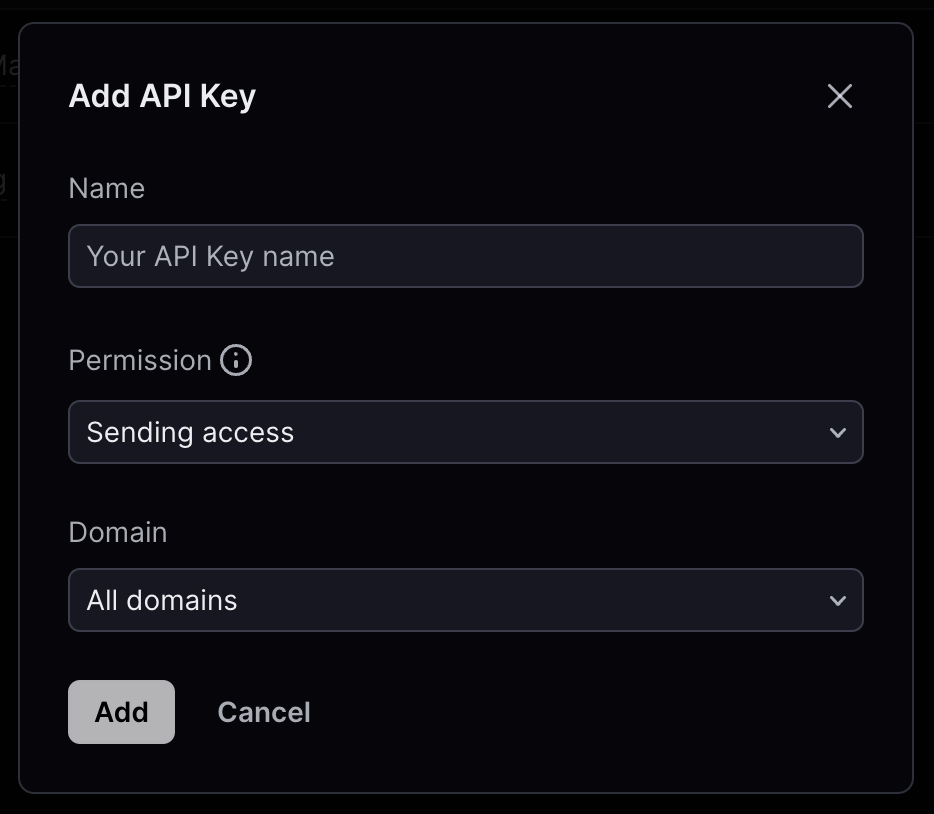
Click "Create API Key", enter a new key name, select "Sending access" under the Permissions dropdown, and choose a sender domain from the Domain dropdown.
Click "Add". You will then be shown a "View API Key" modal containing your API key.
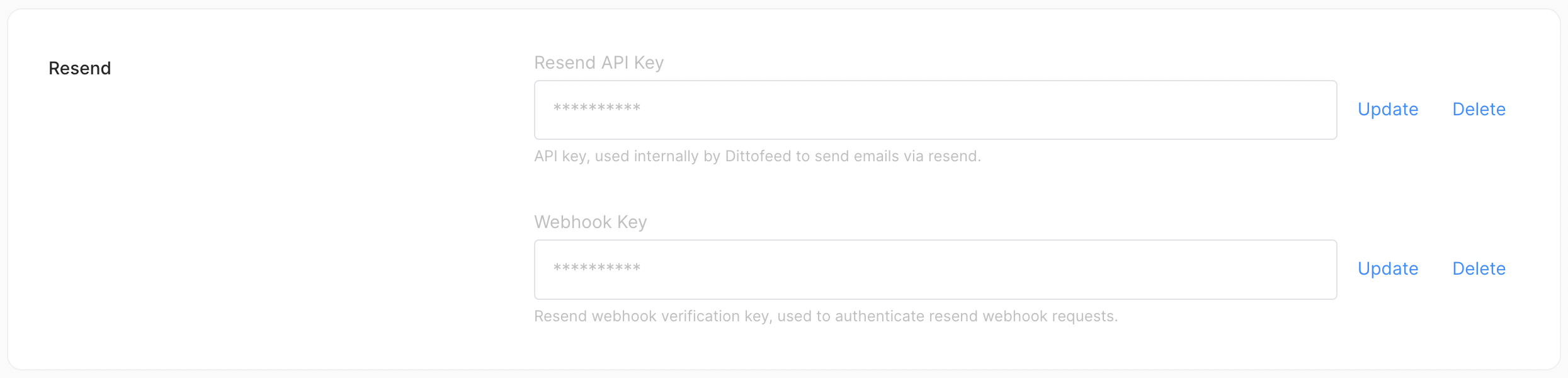
Add this API key to Dittofeed on the Settings page `/dashboard/settings#email-channel`.
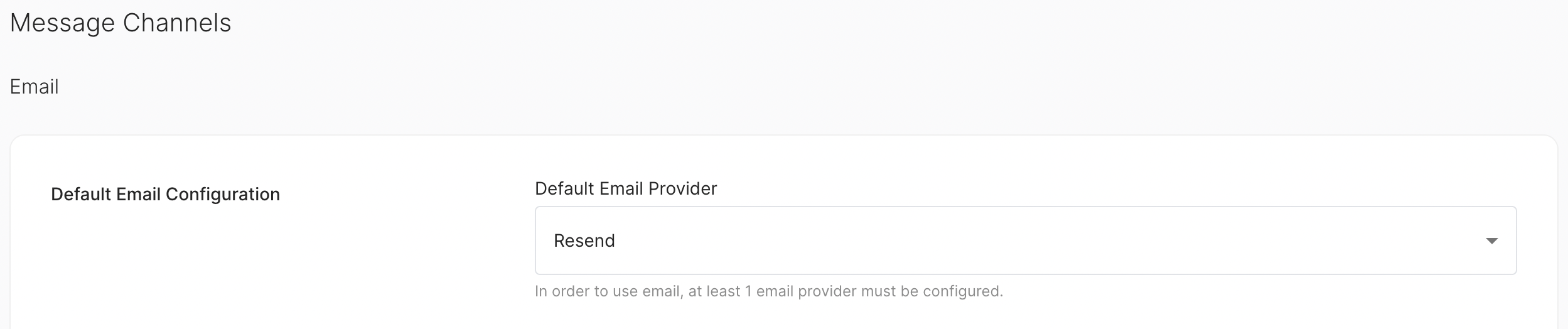
Finally, select Resend as your default email provider.
## Tracking
To receive Resend tracking data, you'll need to create a webhook in Resend.
Go to the Webhooks settings page. [https://resend.com/webhooks](https://resend.com/webhooks)
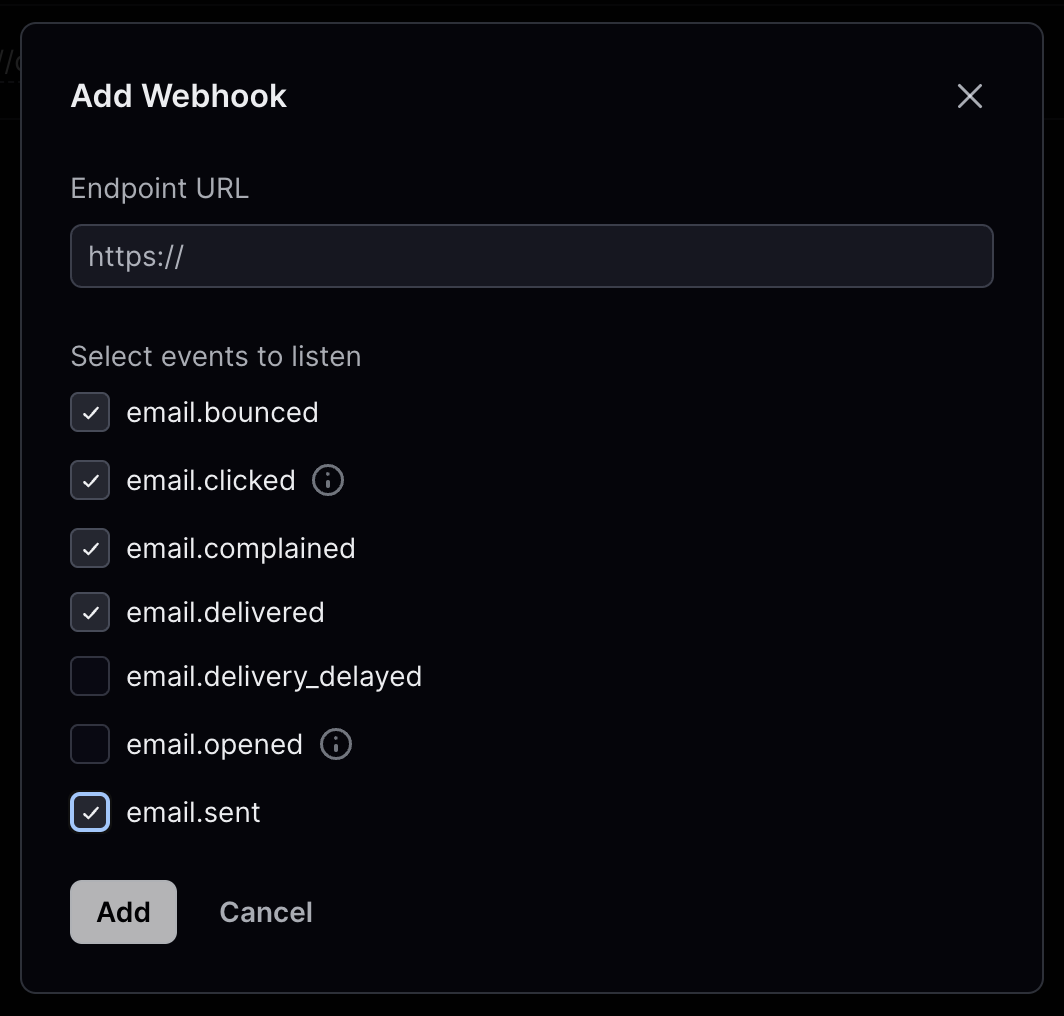
Create a new webhook with the following actions to be posted.
* Bounced
* Clicked
* Complained
* Delivered
* Sent
The "Opened" action can also be used, but it is not recommended as it can drastically reduce deliverability. Additionally, Dittofeed does not currently support the "Delivery Delayed" action.
Use the Post URL `https://app.dittofeed.com/api/public/webhooks/resend` or your own custom domain if you're self-hosting.
Click "Add" to add the webhook.
You'll be redirected to the page for your new webhook. Copy the signing secret.
Paste the signing secret into Dittofeed's settings page in the "Webhook Key" field `/dashboard/settings#email-title` and click save.
Here's a video showing the full setup.
 Click "Add". You will then be shown a "View API Key" modal containing your API key.
Add this API key to Dittofeed on the Settings page `/dashboard/settings#email-channel`.
Click "Add". You will then be shown a "View API Key" modal containing your API key.
Add this API key to Dittofeed on the Settings page `/dashboard/settings#email-channel`.
 Finally, select Resend as your default email provider.
 ## Tracking
To receive Resend tracking data, you'll need to create a webhook in Resend.
Go to the Webhooks settings page. [https://resend.com/webhooks](https://resend.com/webhooks)
Create a new webhook with the following actions to be posted.
* Bounced
* Clicked
* Complained
* Delivered
* Sent
## Tracking
To receive Resend tracking data, you'll need to create a webhook in Resend.
Go to the Webhooks settings page. [https://resend.com/webhooks](https://resend.com/webhooks)
Create a new webhook with the following actions to be posted.
* Bounced
* Clicked
* Complained
* Delivered
* Sent
 Use the Post URL `https://app.dittofeed.com/api/public/webhooks/resend` or your own custom domain if you're self-hosting.
Click "Add" to add the webhook.
You'll be redirected to the page for your new webhook. Copy the signing secret.
Use the Post URL `https://app.dittofeed.com/api/public/webhooks/resend` or your own custom domain if you're self-hosting.
Click "Add" to add the webhook.
You'll be redirected to the page for your new webhook. Copy the signing secret.
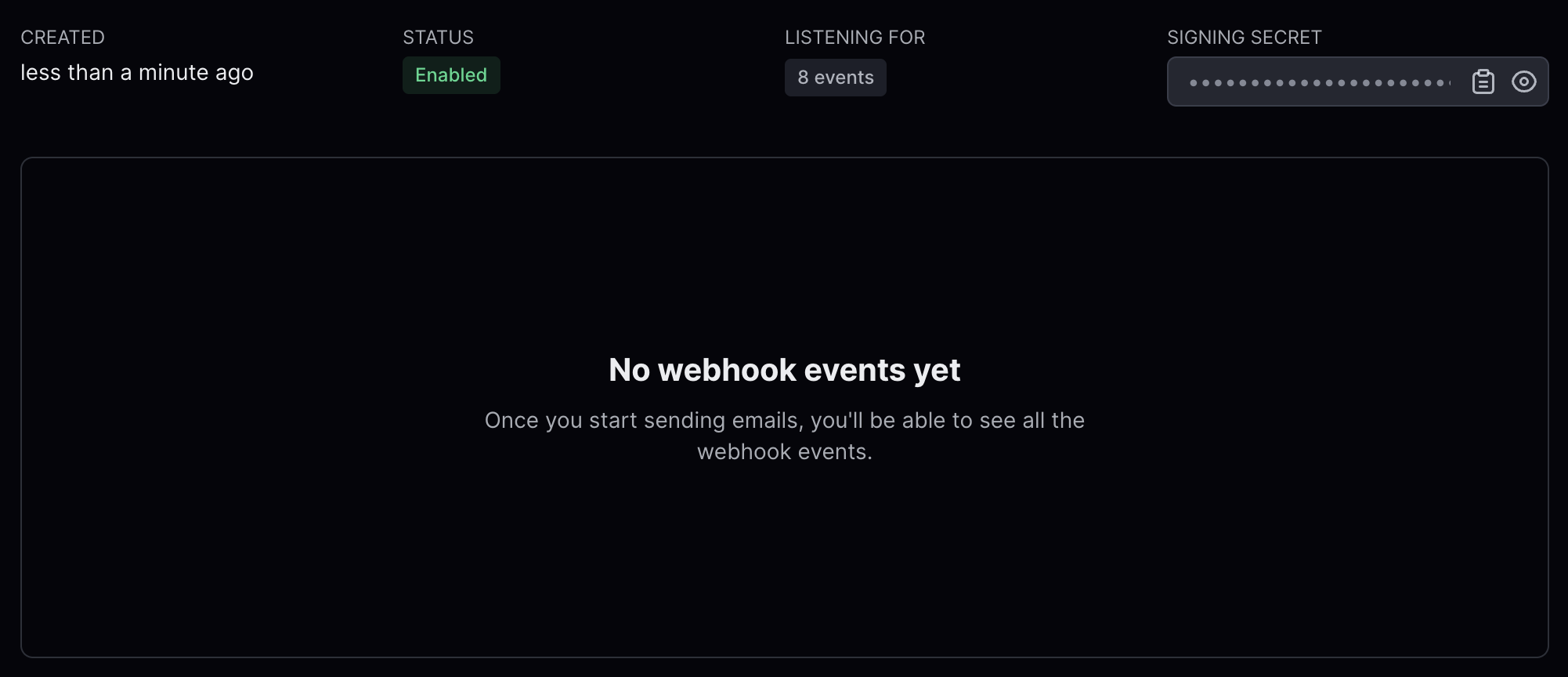 Paste the signing secret into Dittofeed's settings page in the "Webhook Key" field `/dashboard/settings#email-title` and click save.