> ## Documentation Index
> Fetch the complete documentation index at: https://docs.dittofeed.com/llms.txt
> Use this file to discover all available pages before exploring further.
# Frequently Asked Questions (FAQ)
### Why don't I see any users in my Workspace?
Displayed users represent a collection of computed "User Property Assignments" and "Segment Assignments". These are computed by Dittofeed in the background. If you aren't seeing users in your workspace, it's likely one of the following is true:
* Dittofeed hasn't received any user events.
* The configured user properties and segments don't match the provided events.
* The worker isn't running the compute properties workflow.
### How can I submit events?
See the documentation on [submitting events to Dittofeed](/integrations/sources).
## Why can't I send messages to the same user more than once?
Teams commonly ask why they can't send messages to the same user more than once using a [segment entry Journeys](/resources/journey-nodes/entry#segment-entry).
If you simply need to guarantee that a user receives a message every time an particular event is sent, you should use an [event entry Journey](/resources/journey-nodes/entry#event-entry).
Users *can* re-enter a segment entry journey, and be messaged multiple times, but only under specific conditions:
1. The user exits the journey.
2. The user exits the segment.
3. The user re-enters the segment.
4. The journey is configured to allow re-entry.
Consider the following segment and journey.
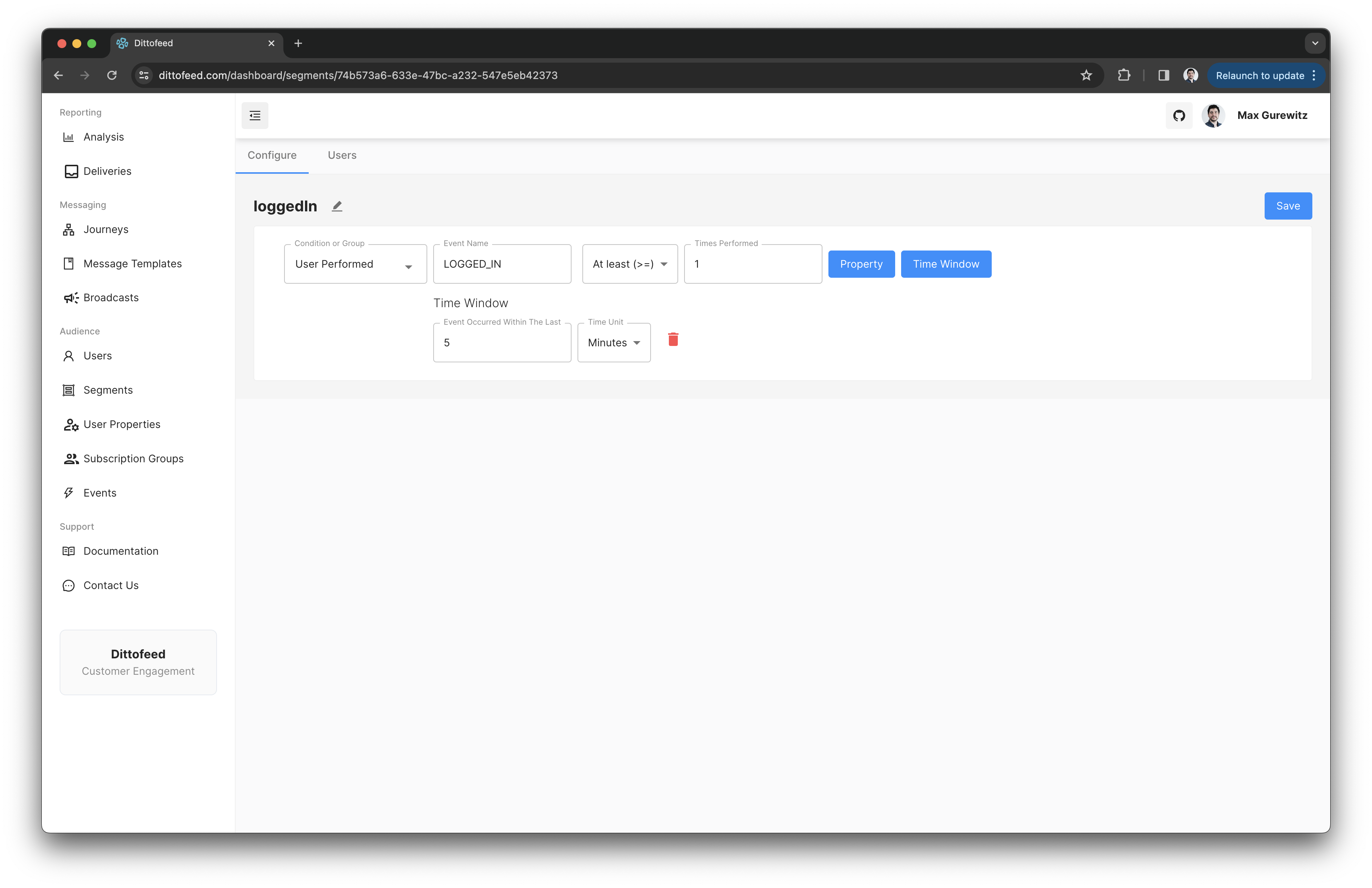
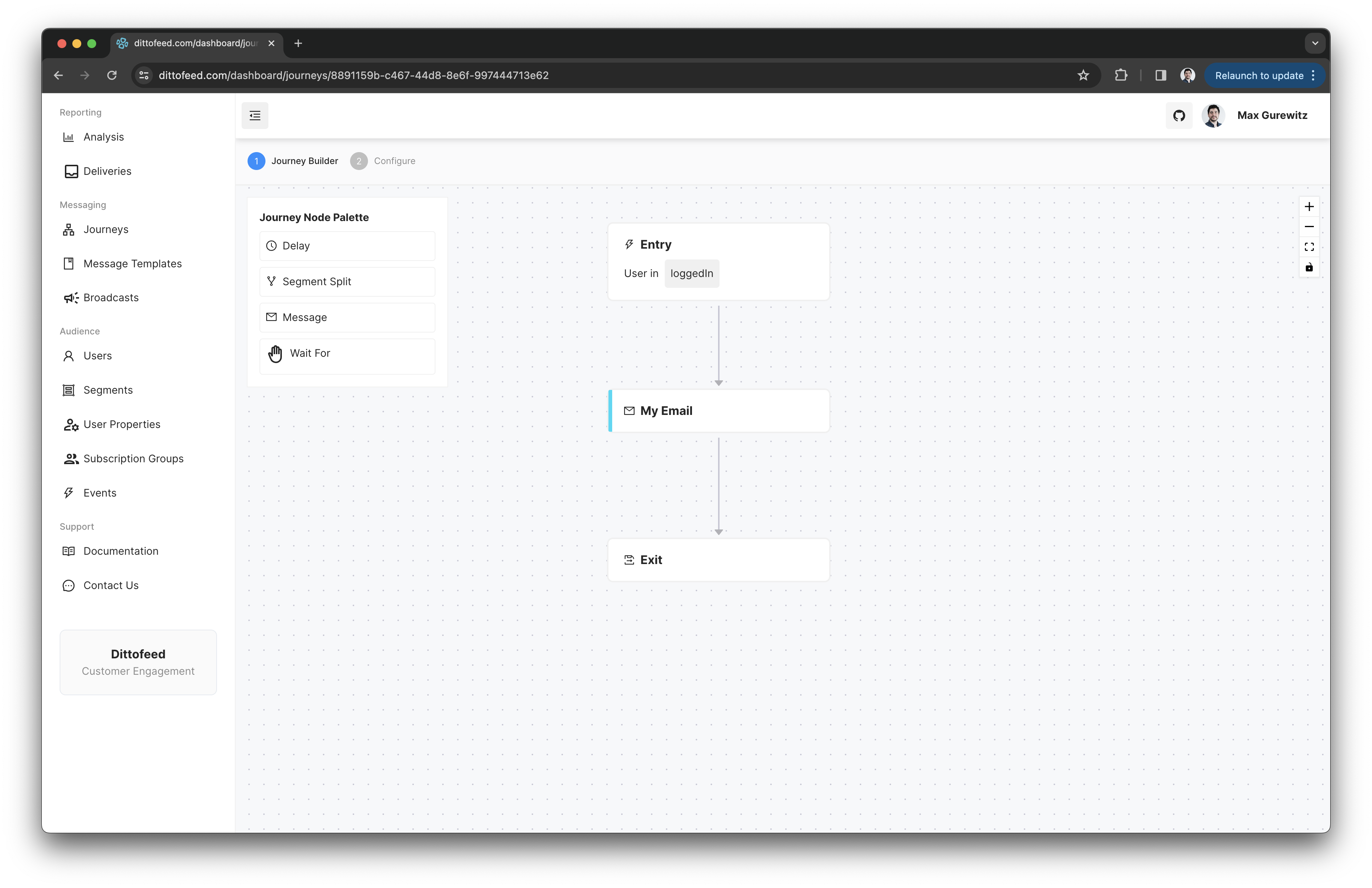
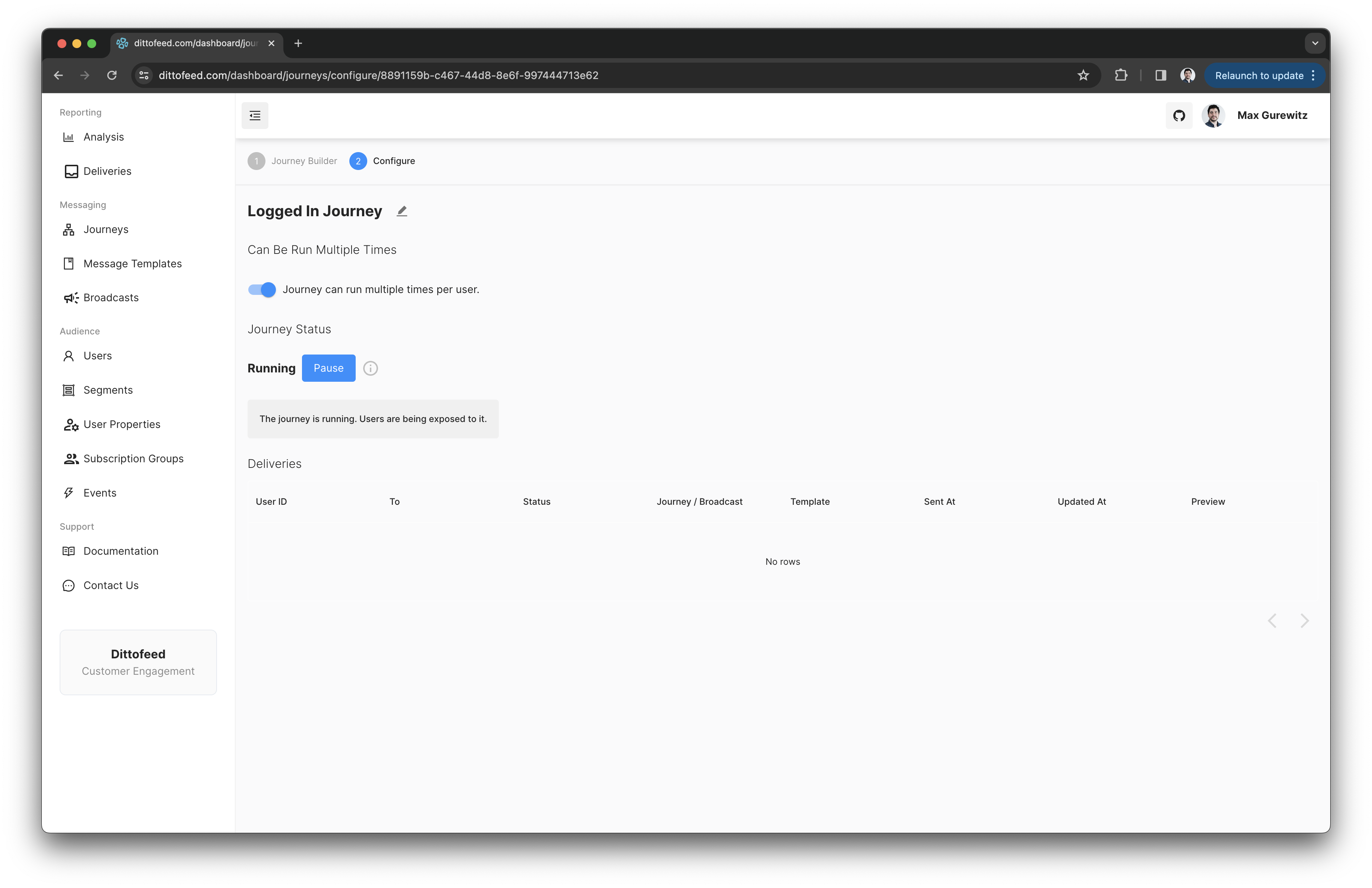 The following would need to occur in order for a user to receive multiple messages from this journey.
1. The user receives a `LOGGED_IN` event.
2. Dittofeed processes this event within the next minute and assigns the user to the `loggedIn` segment.
3. Dittofeed responds to the segment assignment and creates an instance of the journey for the user.
At this point any `LOGGED_IN` events will be ignored, as the user is already in the `loggedIn` segment and the their journey is already running.
4. The user is sent a message, and the journey is completed.
5. 5 minutes pass, and the specified segment window expires.
6. Dittofeed processes the segment window expiration and removes the user from the `loggedIn` segment.
At this point the user is no longer in the `loggedIn` segment, and any additional `LOGGED_IN` events will re-assign the user to the segment and re-start the journey.
You probably *shouldn't* email a user every time they log in, this example is for educational purposes only.
The following would need to occur in order for a user to receive multiple messages from this journey.
1. The user receives a `LOGGED_IN` event.
2. Dittofeed processes this event within the next minute and assigns the user to the `loggedIn` segment.
3. Dittofeed responds to the segment assignment and creates an instance of the journey for the user.
At this point any `LOGGED_IN` events will be ignored, as the user is already in the `loggedIn` segment and the their journey is already running.
4. The user is sent a message, and the journey is completed.
5. 5 minutes pass, and the specified segment window expires.
6. Dittofeed processes the segment window expiration and removes the user from the `loggedIn` segment.
At this point the user is no longer in the `loggedIn` segment, and any additional `LOGGED_IN` events will re-assign the user to the segment and re-start the journey.
You probably *shouldn't* email a user every time they log in, this example is for educational purposes only.